 Quick view
Instant digital deliveryOne-time purchase — yours foreverSecure checkout powered by Stripe14-day refund policyLoved by budgeters, freelancers, and small teams
Instant digital deliveryOne-time purchase — yours foreverSecure checkout powered by Stripe14-day refund policyLoved by budgeters, freelancers, and small teams
Instant digital deliveryOne-time purchase — yours foreverSecure checkout powered by Stripe14-day refund policyLoved by budgeters, freelancers, and small teams
Skip to product information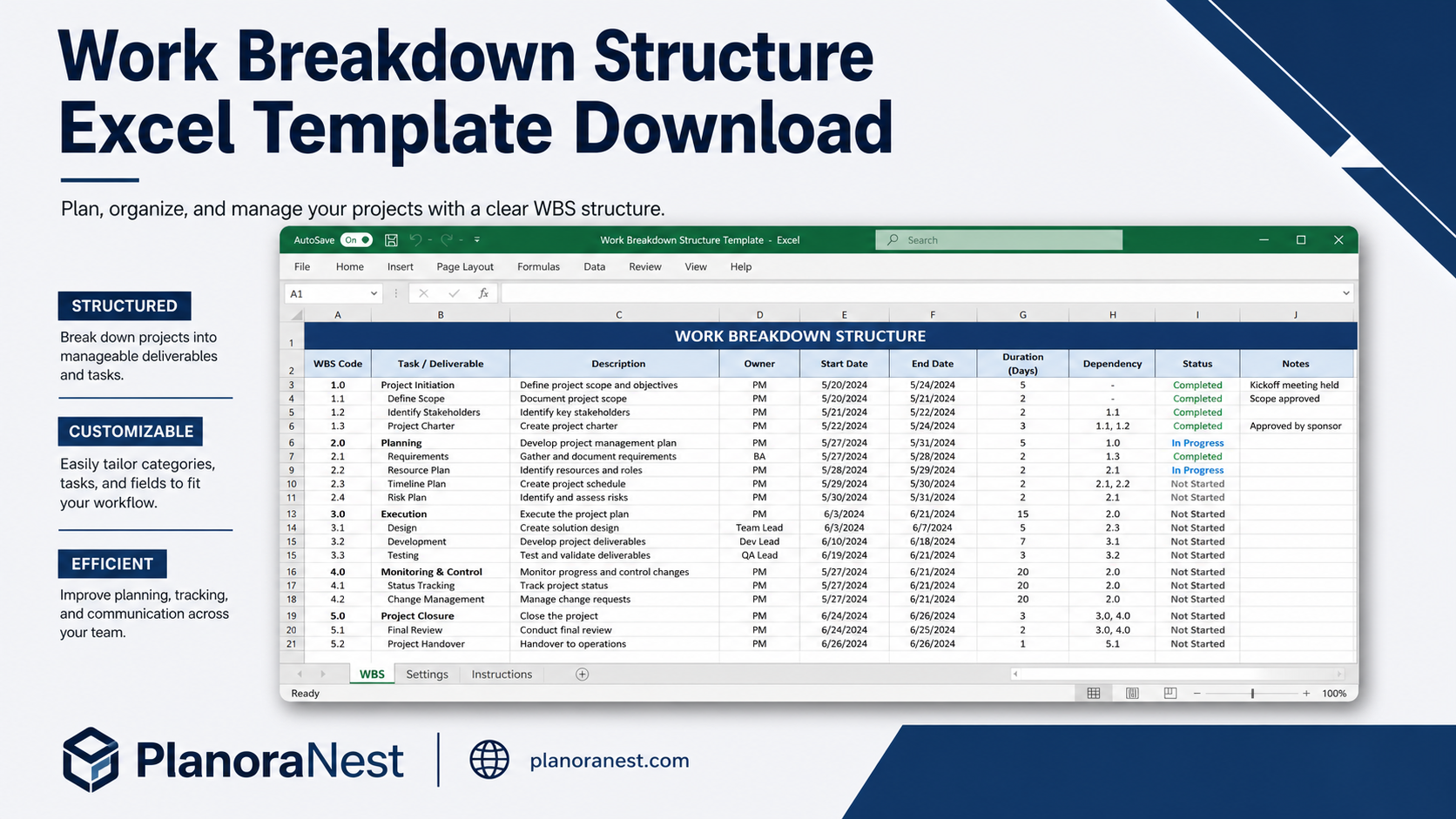
Quick view
Vendor: PlanoNest
Work Breakdown Structure Spreadsheet Excel Template
4.7 / 5.0 (3) total reviews
$1.00
Excel
Buy now
Quick sign in at checkout — your templates are saved to your library forever.
- Instant digital delivery after purchase
- Secure checkout powered by Stripe
- 14-day refund policy
Related picks
You may also like
Explore other digital products that pair well with this template.
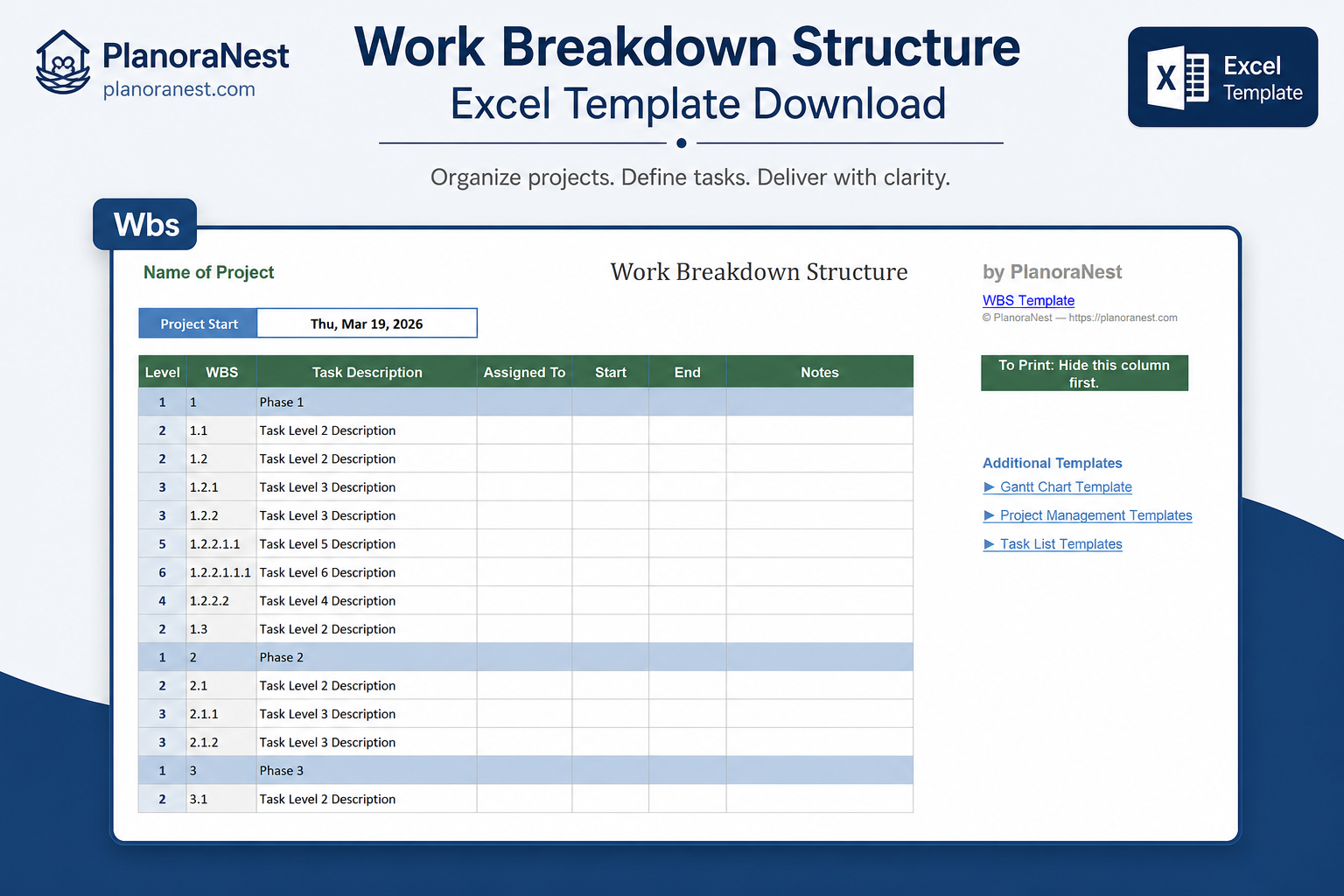
Quick viewThis Work Breakdown Structure (WBS) Excel template from PlanoraNest helps you decompose any project into manageable work packages. With a 9-column hierarchical layout supporting up to 50 task rows, you can define deliverables, assign owners, estimate hours and costs, and build the foundation for accurate project planning.
Essential for project managers who need to scope work before scheduling, create accurate estimates, and ensure no work package gets overlooked. One-time purchase at $1, instant download, no subscription.
Who it's for
Project managers who build WBS as the first step of project planning before moving to a Gantt chart or schedule.
Estimators and proposal teams who need to break down scope into priced work packages for bids.
Engineering leads decomposing system builds into component-level tasks for their teams.
Anyone who has ever started a project and realized halfway through that they forgot an entire workstream.
What's included — sheet-by-sheet
Every sheet in this Work Breakdown Structure template is built for thorough project decomposition:
Sheet | What it does |
|---|---|
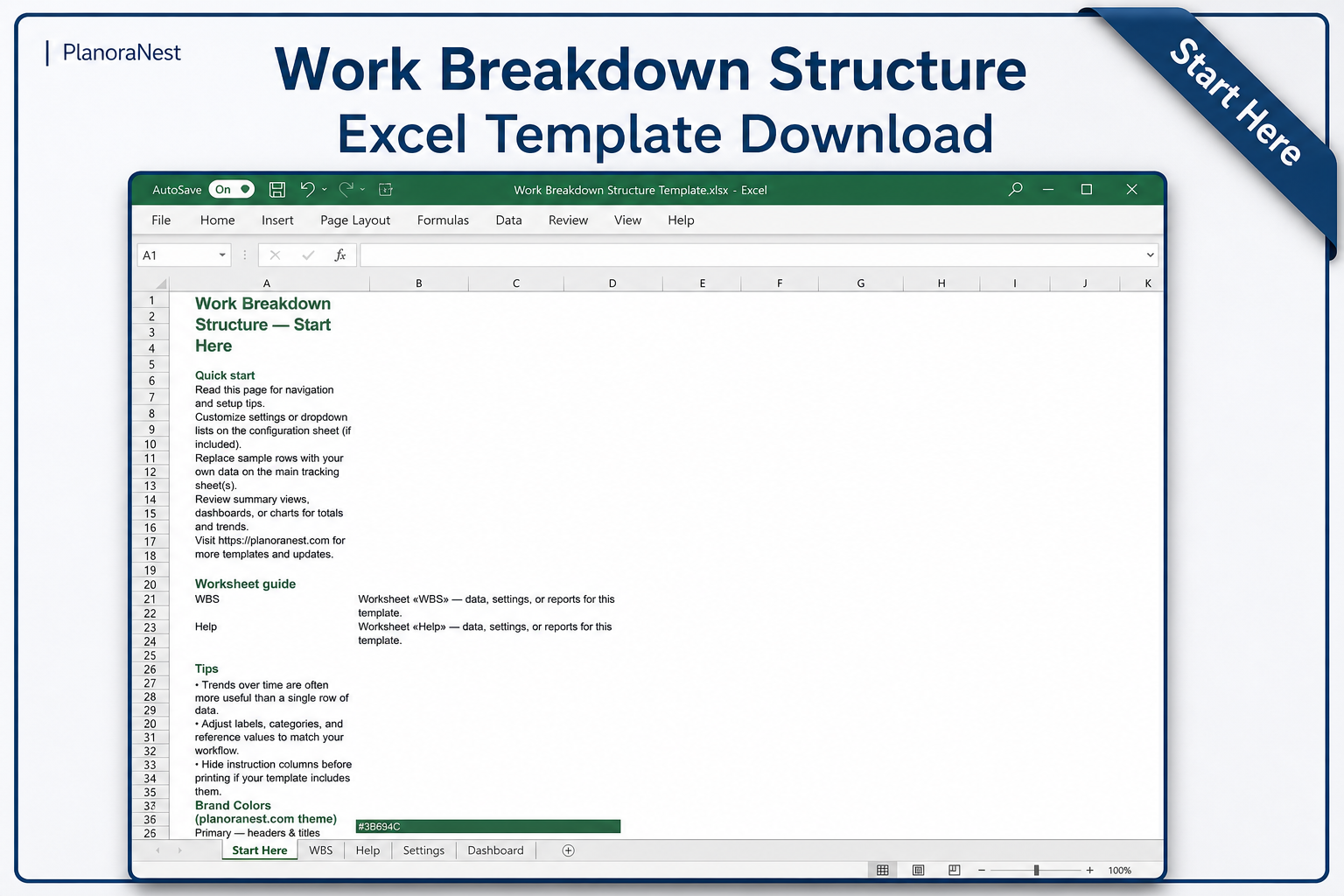
Start Here | Quick-start guide explaining the WBS concept, how to structure your decomposition (phases > deliverables > work packages), and tips for running a WBS session with your team. |
WBS | The core WBS sheet with 9 columns and 50 task rows. Columns include: WBS Code (hierarchical numbering like 1.0, 1.1, 1.1.1), Task/Deliverable Name, Description, Assigned To/Owner, Estimated Hours, Estimated Cost, Start Date, End Date, and Status. A Project Start date field anchors the timeline. The hierarchical WBS Code structure creates visual parent-child relationships — main phases (1.0, 2.0, 3.0), sub-deliverables (1.1, 1.2), and work packages (1.1.1, 1.1.2). Use the built-in indentation and grouping to see your project structure unfold. |
Help | 31-row reference sheet covering WBS best practices, the 100% rule (your WBS must capture 100% of project scope), how deep to decompose, and how to estimate hours and costs at the work package level. |
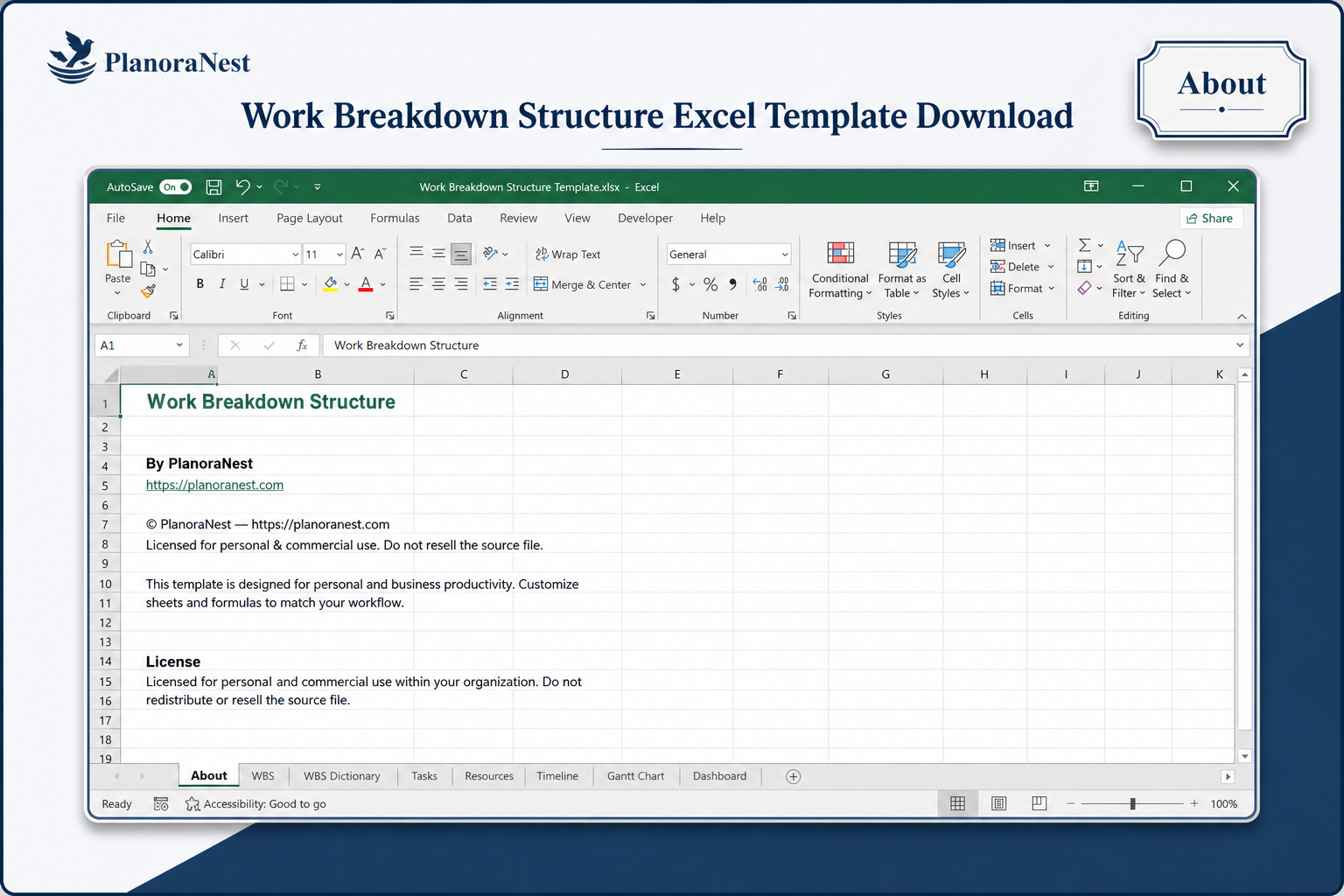
About | Template credits, version info, and terms of use. |
Preview
See how each sheet looks before you download — screenshots from the actual template.
Preview 1
Preview of Work Breakdown Structure Excel Template
Preview of Work Breakdown Structure Excel Template
Preview 3
Preview of Work Breakdown Structure Excel Template
Preview 4
Preview of Work Breakdown Structure Excel Template
How to use this template
Open the Start Here sheet and read about WBS principles — especially the 100% rule: your WBS must capture 100% of the project scope, nothing more, nothing less.
Go to the WBS sheet. Enter your project name in cell C1 and set the Project Start date in cell C3.
Begin decomposing your project top-down. Start with main phases as Level 1 (WBS Code 1.0, 2.0, 3.0). Under each phase, add sub-deliverables as Level 2 (1.1, 1.2, etc.). Break these further into work packages as Level 3 (1.1.1, 1.1.2) — the level where you can realistically estimate hours and cost.
For each work package, assign an Owner, estimate the hours and cost, and set Start and End dates. The hierarchical WBS Code column makes parent-child relationships visually clear.
Review the completed WBS with your team: check for gaps (scope not covered), overlaps (same work in multiple packages), and estimate realism. Apply the 100% rule — does this WBS capture everything?
Use the finished WBS as input to your Gantt chart or schedule — every work package becomes a scheduling task. The Estimated Hours and Estimated Cost columns feed directly into your project budget.
Works with
Microsoft Excel (desktop & web)
Google Sheets
WPS Office
LibreOffice Calc
One-time purchase · $1 USD · Instant download · No account required to use the file after purchase.
Frequently asked questions
How it works
1. Purchase
Browse our shop and pick the templates that fit your needs — from business planners to productivity trackers.
2. Access
Since our products are digital, you'll receive immediate access after your purchase completes.
3. Use
Open your template in Google Sheets, Excel, or Notion and start using it right away with our included instructions.
Sarah Chen
PMO Director
Verified purchaseStandardized our project scoping process
Our PMO adopted this WBS template as the mandatory first step for all new projects. The 9-column structure on the WBS sheet gives us consistent data across 15+ project managers, and the hierarchical WBS Codes (1.0, 1.1, 1.1.1) make cross-project comparisons possible. We can now spot when one PM consistently under-estimates testing hours or skips the deployment phase. Bumping from 50 rows would be helpful for our larger programs, but the structure is solid. Recommended.
Tom Reyes
Software Engineering Manager
Verified purchaseCaught scope we always forget
Our engineering team has a bad habit of estimating only coding effort and forgetting deployment, documentation, testing, and handoff. Building the WBS on this template — with its hierarchical WBS Code structure (1.0 Architecture, 1.1 Database Design, 1.1.1 Schema, 1.1.2 Migration Scripts, etc.) — forced us to decompose each deliverable to the work package level. We caught 6 work packages we consistently miss in planning. I now require a completed WBS sheet before any engineer gives me a timeline.
Priya Nair
Project Estimator
Verified purchaseMy bids are now bottom-up, not guesswork
I prepare construction bids and used to estimate based on similar past projects — which meant carrying forward the same errors. This WBS template forced me to decompose every job into work packages on the WBS sheet. The 9-column layout (WBS Code, Task Name, Owner, Hours, Cost, etc.) made it systematic. My bids are now more accurate, and when a client asks "why does this phase cost X?" I can point to the specific work packages and their estimates. The 50-row capacity is enough for a mid-size commercial buildout.