Company Investment Tracking Excel: Simple Sheets for Business Capital

Track company or business capital investments in a simple Excel workbook with contribution logs and summary totals.
Searches for tracking my company investment excel simple often mean business capital — owner contributions, equipment purchases booked as investments, or subsidiary funding — not a personal meme-stock watchlist. The spreadsheet still looks like an investment log: money out, value updates, Summary of invested versus current. For the broader personal-portfolio hub, start with the excel spreadsheet investment tracking simple guide.
Key takeaway: Separate operating expenses from capital investments. If every invoice lands in the same “investment” column, your company tracker cannot answer what capital is still deployed.
Company capital log vs personal portfolio
Personal trackers obsess over tickers and live prices. Company capital trackers obsess over dates, counterparties, purpose codes, and book value versus any marked value you choose to update. Microsoft’s financial management templates cover adjacent small-business books; they rarely isolate “invested capital by project.” Investopedia’s Excel investing overview still helps for return formulas when the investment is marketable securities held by the company.
[TABLE: Fields for a company investment sheet]
| Field | Why it matters | Example |
|---|---|---|
| Date | Audit trail | 2026-03-15 |
| Investment ID | Stable key | INV-0042 |
| Counterparty / vehicle | Who received capital | Subsidiary A / Brokerage |
| Purpose | Decision memory | Seed inventory / Marketable ETF |
| Amount invested | Cash out | 25000 |
| Currency | Multi-entity clarity | USD |
| Book or market value | Current mark | Updated monthly |
| Owner / approver | Accountability | CFO initials |
| Status | Active / exited | Active |
Build a simple company workbook
Company investment tracker
- Create an Investments log with the fields above.
- Add a Contributions sheet if owners inject cash in rounds (date, amount, class of equity if relevant).
- Build Summary: total invested, total current value, count of active investments.
- Tag each row as Marketable, Operating CapEx-as-investment, or Intercompany — do not mix silently.
- Protect formula ranges; keep raw bank exports on a staging sheet.
- Month-end: update values, then freeze a PDF or dated copy for the board pack.
Warning: Do not use this sheet as your general ledger. Link or reconcile to accounting software; the tracker is a management view.
What SERPs miss for “company” wording
SERPs for this long-tail query still surface personal simple investment trackers and free stock templates. Sites such as Vertex42 show up in research results for simplified account tracking — cite as plain text only, never with an outbound link. Tiller’s investment spreadsheet guides and DIY Investor’s Excel steps remain useful when the company holds public securities. When the “investment” is a truck or a franchise fee, ignore ticker tutorials and keep CapEx-style logs.
Free, DIY, or structured
- Free personal templates: Fine for marketable securities; awkward for purpose codes and approvers.
- DIY: Best when your chart of accounts is unique.
- Structured consumer workbook: Still helpful as an Account1 + Summary pattern you adapt with extra columns.
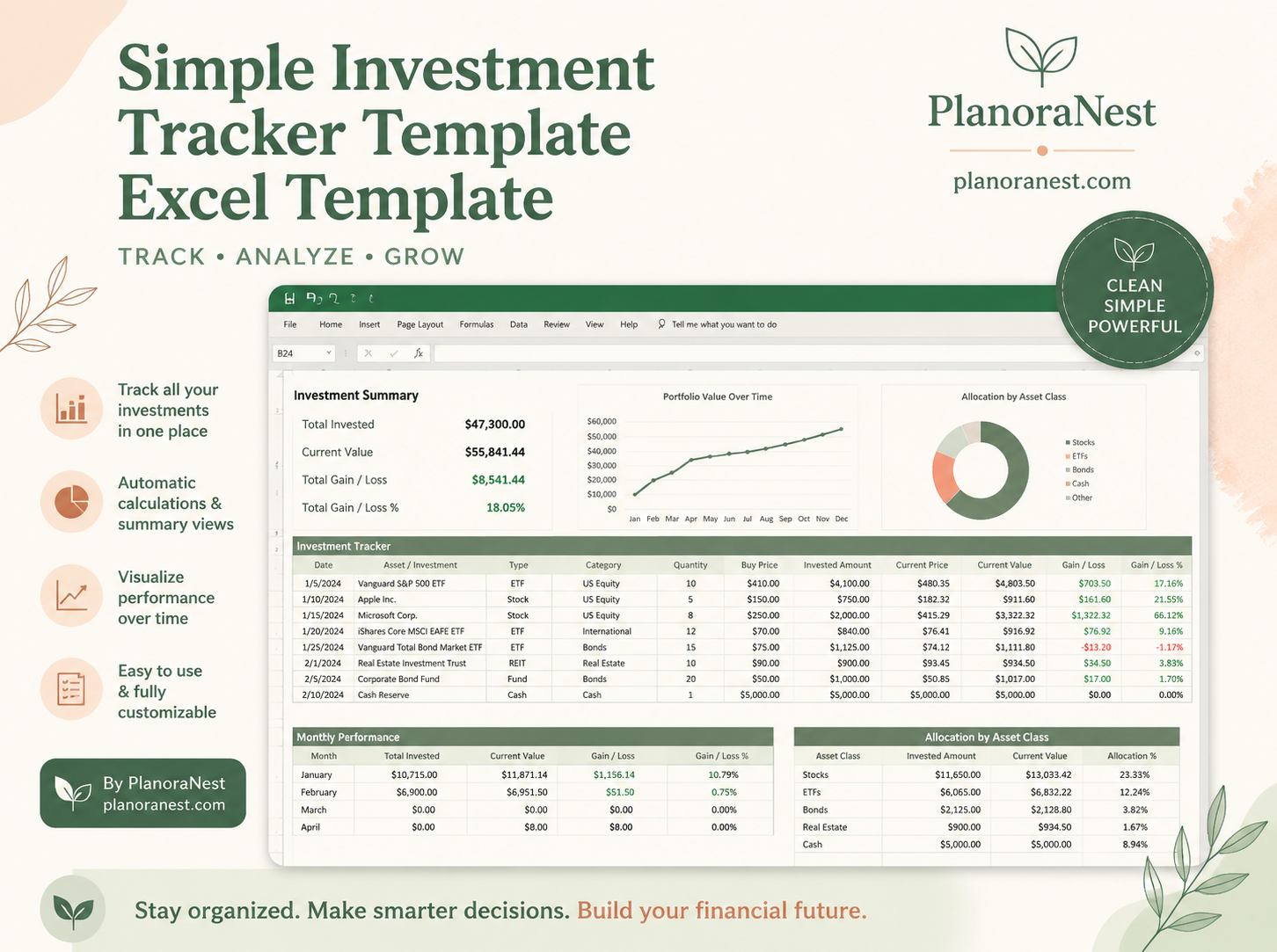
The PlanoNest Excel Spreadsheet Investment Tracking Simple template gives Account1, Summary, Help, and Start Here as a one-time purchase with instant download — extend columns for company IDs rather than rebuilding Summary from scratch. See the product page for live pricing. Adjacent tools live in the budget templates collection.
[PRO_CON]
Personal stock template reused for company capital
- Pros: familiar gain/loss math
- Cons: missing purpose, approver, and status fields
Company-oriented log
- Pros: audit-friendly; board-readable Summary
- Cons: you must define purpose codes up front
Monthly operating notes
- Import or paste new capital movements.
- Mark exits when capital returns — do not delete history.
- Revalue only where policy allows mark-to-market; otherwise keep book value and a separate note.
- Review active investments over a threshold with one owner present.
Product highlight: If the CFO cannot explain an Investment ID in thirty seconds, the Notes field failed — fix naming before adding charts.
FAQ
Can I track owner draws here? Better as a separate equity or draws log. Mixing draws into “investment returns” confuses capital deployed.
Do I need live prices? Only for marketable securities. For private deployments, use scheduled revaluations or keep cost until exit.
Is this a substitute for QuickBooks? No. It is a management tracker that should reconcile to the books.
Operating notes for consistent tracking (1)
Keep categories stable for at least one quarter before renaming. When you change a label, add a migration note on the Help sheet so historical rows remain searchable. Reconcile the tracker to the brokerage cash activity report once a month: unmatched rows usually mean a transfer between accounts was recorded twice or not at all. If you collaborate, give editors rights only to input columns and keep Summary formulas protected. Review gain/loss in dollars and percent together — a large percent on a tiny position can distract from the dollars that actually matter for your plan. Finally, store one archived copy each quarter in a folder named by date so experiments never overwrite the working file.
Operating notes for consistent tracking (2)
Keep categories stable for at least one quarter before renaming. When you change a label, add a migration note on the Help sheet so historical rows remain searchable. Reconcile the tracker to the brokerage cash activity report once a month: unmatched rows usually mean a transfer between accounts was recorded twice or not at all. If you collaborate, give editors rights only to input columns and keep Summary formulas protected. Review gain/loss in dollars and percent together — a large percent on a tiny position can distract from the dollars that actually matter for your plan. Finally, store one archived copy each quarter in a folder named by date so experiments never overwrite the working file.
Operating notes for consistent tracking (3)
Keep categories stable for at least one quarter before renaming. When you change a label, add a migration note on the Help sheet so historical rows remain searchable. Reconcile the tracker to the brokerage cash activity report once a month: unmatched rows usually mean a transfer between accounts was recorded twice or not at all. If you collaborate, give editors rights only to input columns and keep Summary formulas protected. Review gain/loss in dollars and percent together — a large percent on a tiny position can distract from the dollars that actually matter for your plan. Finally, store one archived copy each quarter in a folder named by date so experiments never overwrite the working file.
Operating notes for consistent tracking (4)
Keep categories stable for at least one quarter before renaming. When you change a label, add a migration note on the Help sheet so historical rows remain searchable. Reconcile the tracker to the brokerage cash activity report once a month: unmatched rows usually mean a transfer between accounts was recorded twice or not at all. If you collaborate, give editors rights only to input columns and keep Summary formulas protected. Review gain/loss in dollars and percent together — a large percent on a tiny position can distract from the dollars that actually matter for your plan. Finally, store one archived copy each quarter in a folder named by date so experiments never overwrite the working file.
Operating notes for consistent tracking (5)
Keep categories stable for at least one quarter before renaming. When you change a label, add a migration note on the Help sheet so historical rows remain searchable. Reconcile the tracker to the brokerage cash activity report once a month: unmatched rows usually mean a transfer between accounts was recorded twice or not at all. If you collaborate, give editors rights only to input columns and keep Summary formulas protected. Review gain/loss in dollars and percent together — a large percent on a tiny position can distract from the dollars that actually matter for your plan. Finally, store one archived copy each quarter in a folder named by date so experiments never overwrite the working file.
Operating notes for consistent tracking (6)
Keep categories stable for at least one quarter before renaming. When you change a label, add a migration note on the Help sheet so historical rows remain searchable. Reconcile the tracker to the brokerage cash activity report once a month: unmatched rows usually mean a transfer between accounts was recorded twice or not at all. If you collaborate, give editors rights only to input columns and keep Summary formulas protected. Review gain/loss in dollars and percent together — a large percent on a tiny position can distract from the dollars that actually matter for your plan. Finally, store one archived copy each quarter in a folder named by date so experiments never overwrite the working file.
Disclosure
PlanoNest sells digital templates. Product links point to our shop.