Investment Tracker Excel: Features Worth Paying for vs DIY

Decide when an investment tracker excel workbook beats a blank sheet — feature checklist, free options, and structured templates.
An investment tracker excel search usually means you already tried a blank grid or a free download and want a clearer feature bar. This page is a checklist: what belongs in Excel, what belongs in a brokerage, and when a structured workbook is worth a one-time purchase. Pair it with the hub on excel spreadsheet investment tracking simple.
Key takeaway: Pay for structure when onboarding and Summary reliability save hours. Do not pay for animated charts you will not maintain.
Feature checklist
[TABLE: Features vs need]
| Feature | Need it if… | Skip if… |
|---|---|---|
| Contribution / withdrawal log | You add cash monthly | You only rebalance tickers already owned |
| Holdings table | You care about positions | You only track one account total |
| Live prices (Stocks / GOOGLEFINANCE) | You refresh weekly | You prefer statement paste |
| Summary dashboard | You report to a partner | You read the brokerage app daily anyway |
| Allocation % | You rebalance by policy | You hold a single target-date fund |
| Dividend log | Income is a goal | You reinvest and ignore income detail |
| Tax lots | You harvest losses | Your broker already reports lots clearly |
| Multi-account rollup | You have 3+ accounts | Everything sits in one IRA |
Tiller and Expense Sorted both stress matching template complexity to holdings count. Kotak Neo’s tracker tutorial shows the math core: market value, profit/loss, percent return, optional allocation.
DIY build path
DIY investment tracker Excel
- List must-have features from the table — circle no more than five.
- Build Holdings and Cash Log first; add charts last.
- Use Excel Stocks data type or pasted prices — pick one method per sheet.
- Write a one-paragraph README on a Start Here tab.
- Stress-test: insert a row, rename a ticker, withdraw cash — does Summary survive?
- If step 5 fails twice, consider a structured file instead of another late night.
Microsoft’s financial template gallery and DIY Investor’s walkthrough cover live price mechanics. Free community files help, but licenses vary.
Free options and research SERPs
Free hubs dominate this keyword. Portfolio Slicer appeals to advanced Excel users who want deeper analytics. Marketplace and third-party template sites — including Vertex42 in many research SERPs — offer simple trackers; mention those brands as plain text only and never publish outbound links to blocked competitor shop domains.
When a structured workbook wins
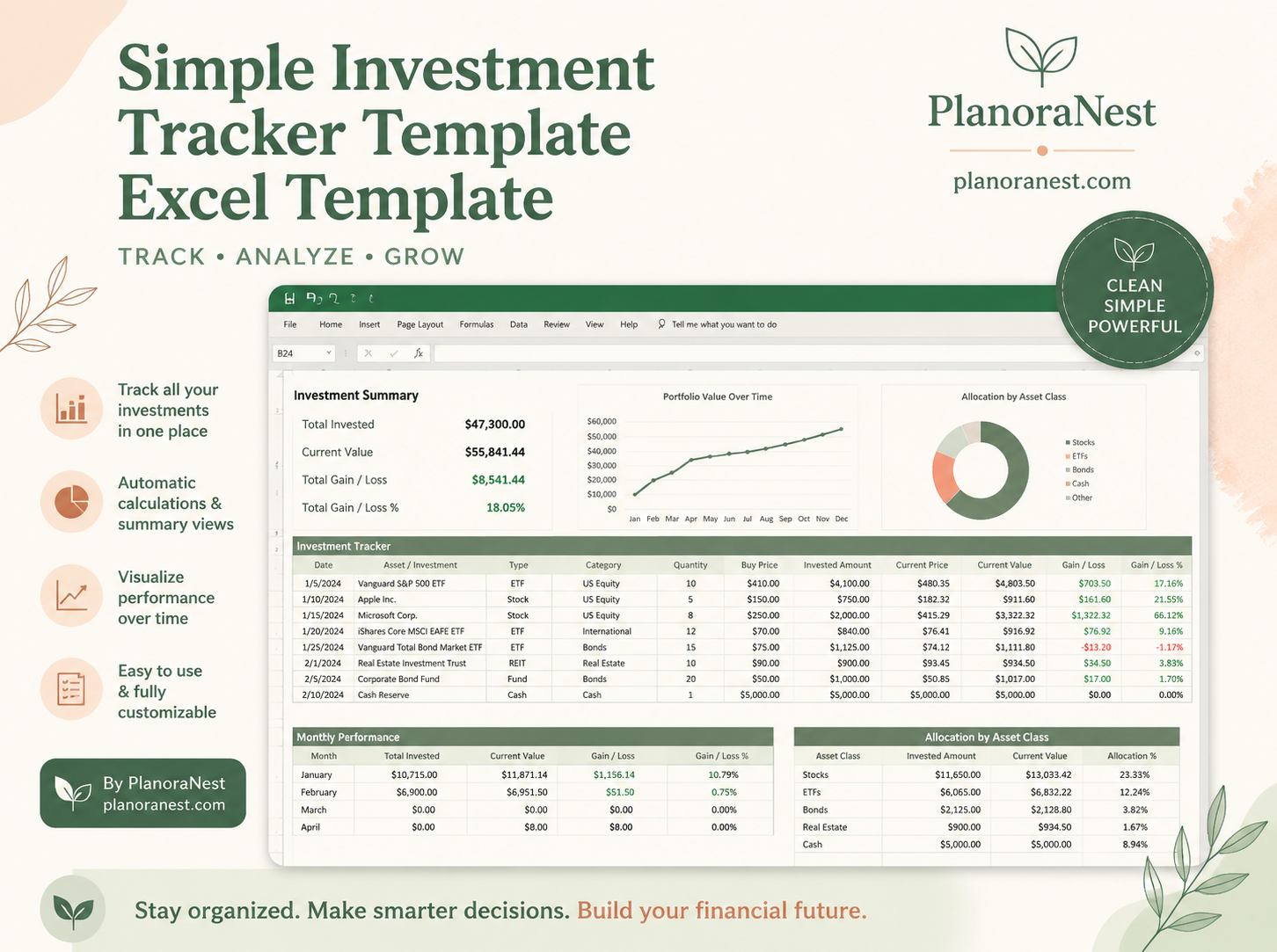
Choose structured when you want Account and Summary prewired, Help text, and Start Here onboarding. The PlanoNest Excel Spreadsheet Investment Tracking Simple template is a one-time purchase with instant digital download for Excel, Google Sheets, WPS, and LibreOffice Calc — see the product page for live pricing. Explore related finance workbooks in the budget templates collection.
[PRO_CON]
DIY investment tracker
- Pros: exact feature set; deep learning
- Cons: support burden; easy to over-scope
Structured workbook
- Pros: faster launch; fewer broken totals; clearer handoff
- Cons: may include sheets you hide until needed
Decision rule
If you spend more time repairing formulas than reviewing returns, you are below the line where structure pays for itself — regardless of any particular dollar amount on a shop page. If you love building models, DIY remains a valid hobby with real portfolio benefits.
Product highlight: Five maintained features beat fifteen abandoned ones for long-term tracking quality.
FAQ
Is Excel enough versus portfolio apps? Yes for single-user record keeping and light collaboration. Apps win for automatic multi-broker sync.
Should I track crypto and stocks together? Yes only with an Asset class column and separate risk notes.
Where do I see PlanoNest pricing? On the product page — articles intentionally avoid hard-coded prices.
Operating notes for consistent tracking (1)
Keep categories stable for at least one quarter before renaming. When you change a label, add a migration note on the Help sheet so historical rows remain searchable. Reconcile the tracker to the brokerage cash activity report once a month: unmatched rows usually mean a transfer between accounts was recorded twice or not at all. If you collaborate, give editors rights only to input columns and keep Summary formulas protected. Review gain/loss in dollars and percent together — a large percent on a tiny position can distract from the dollars that actually matter for your plan. Finally, store one archived copy each quarter in a folder named by date so experiments never overwrite the working file.
Operating notes for consistent tracking (2)
Keep categories stable for at least one quarter before renaming. When you change a label, add a migration note on the Help sheet so historical rows remain searchable. Reconcile the tracker to the brokerage cash activity report once a month: unmatched rows usually mean a transfer between accounts was recorded twice or not at all. If you collaborate, give editors rights only to input columns and keep Summary formulas protected. Review gain/loss in dollars and percent together — a large percent on a tiny position can distract from the dollars that actually matter for your plan. Finally, store one archived copy each quarter in a folder named by date so experiments never overwrite the working file.
Operating notes for consistent tracking (3)
Keep categories stable for at least one quarter before renaming. When you change a label, add a migration note on the Help sheet so historical rows remain searchable. Reconcile the tracker to the brokerage cash activity report once a month: unmatched rows usually mean a transfer between accounts was recorded twice or not at all. If you collaborate, give editors rights only to input columns and keep Summary formulas protected. Review gain/loss in dollars and percent together — a large percent on a tiny position can distract from the dollars that actually matter for your plan. Finally, store one archived copy each quarter in a folder named by date so experiments never overwrite the working file.
Operating notes for consistent tracking (4)
Keep categories stable for at least one quarter before renaming. When you change a label, add a migration note on the Help sheet so historical rows remain searchable. Reconcile the tracker to the brokerage cash activity report once a month: unmatched rows usually mean a transfer between accounts was recorded twice or not at all. If you collaborate, give editors rights only to input columns and keep Summary formulas protected. Review gain/loss in dollars and percent together — a large percent on a tiny position can distract from the dollars that actually matter for your plan. Finally, store one archived copy each quarter in a folder named by date so experiments never overwrite the working file.
Operating notes for consistent tracking (5)
Keep categories stable for at least one quarter before renaming. When you change a label, add a migration note on the Help sheet so historical rows remain searchable. Reconcile the tracker to the brokerage cash activity report once a month: unmatched rows usually mean a transfer between accounts was recorded twice or not at all. If you collaborate, give editors rights only to input columns and keep Summary formulas protected. Review gain/loss in dollars and percent together — a large percent on a tiny position can distract from the dollars that actually matter for your plan. Finally, store one archived copy each quarter in a folder named by date so experiments never overwrite the working file.
Operating notes for consistent tracking (6)
Keep categories stable for at least one quarter before renaming. When you change a label, add a migration note on the Help sheet so historical rows remain searchable. Reconcile the tracker to the brokerage cash activity report once a month: unmatched rows usually mean a transfer between accounts was recorded twice or not at all. If you collaborate, give editors rights only to input columns and keep Summary formulas protected. Review gain/loss in dollars and percent together — a large percent on a tiny position can distract from the dollars that actually matter for your plan. Finally, store one archived copy each quarter in a folder named by date so experiments never overwrite the working file.
Disclosure
PlanoNest sells this template. Links to PlanoNest are first-party.