 Quick view
Vendor: PlanoNest
Inventory Tracking Excel Template Software | PlanoraNest$1.00
4.7 / 5.0 (3) total reviews
Vendor: PlanoNest
$1.00
Excel
Quick sign in at checkout — your templates are saved to your library forever.
Related picks
Explore other digital products that pair well with this template.
Quick viewVendor: PlanoNest
Inventory Tracking Excel Template Software | PlanoraNest$1.00
 Quick view
Vendor: PlanoNest
Bill Of Materials Excel Template | PlanoraNest Template$1.00
 Quick view
Vendor: PlanoNest
Asset Tracking Spreadsheet Excel Template | PlanoraNest Template$1.00
This CRM Excel template from PlanoraNest is a complete mini-CRM spreadsheet for small sales teams, freelancers, and businesses that need pipeline management without paying monthly SaaS fees. Eight linked sheets with live formulas, dropdown validation, and an auto-calculating dashboard. One-time purchase at $1 (compare at $1), instant download, no subscription.
This CRM Excel template is built for teams that want a practical, offline-friendly sales pipeline:
Eight sheets, each built for a specific part of the sales workflow:
Mini CRM Tool overview with step-by-step instructions. Explains the sheet workflow: customize dropdowns first, then enter organizations and contacts, then track opportunities and interactions. Includes branding and logo customization tips.
Your company directory (500 rows). Columns: Priority, Name, Type, Acct. Manager, Website, Linkedin, Phone, Street Address, City, State, Zip, Notes, and Org ID. Each organization gets a unique Org ID (ORG-001, ORG-002, etc.). Other sheets pull data from here — addresses auto-fill into Contacts, priority and deal owner flow into Opportunities.
People database (500 rows). Columns: Priority, Full Name, Type, Acct. Manager, Organization, Position, Email, Linkedin, Phone, Street Address (auto), City (auto), State (auto), Zip (auto), and Notes. Pick an Organization from the dropdown and the address fields fill automatically using INDEX/MATCH formulas that look up the Organizations sheet. No re-typing addresses.
Deal pipeline (500 rows). Columns: Priority (auto), Name, Deal Owner (auto), Organization, Status, Stage, Loss Reason, Source, Value, Probability, Exp. Close, Notes, Weighted Value, and Next Follow-up. Select an Organization and the Priority and Deal Owner auto-fill from the Organizations sheet. Weighted Value = Value x Probability — calculated with an IF/AND formula. Track every deal from Lead through Qualified, Demo, Proposal, and Closed.
Activity log (100+ rows). Columns: Priority, Interaction, Deal Owner, Date, Opportunity, Contact, and Notes. Log every call, email, LinkedIn message, meeting, or direct mail touchpoint. Pick the Opportunity and Contact from dropdown lists. Feeds into the Dashboard for activity tracking.
Behind-the-scenes number crunching. Includes TODAY() for the current date, a Sales Funnel table with COUNTIFS per stage (Lead, Qualified, Demo, Proposal, Closed), an Interaction Tracker by month and channel, and a Revenue Pipeline with potential vs. probable values by month. All charts and KPIs on the Dashboard reference this sheet.
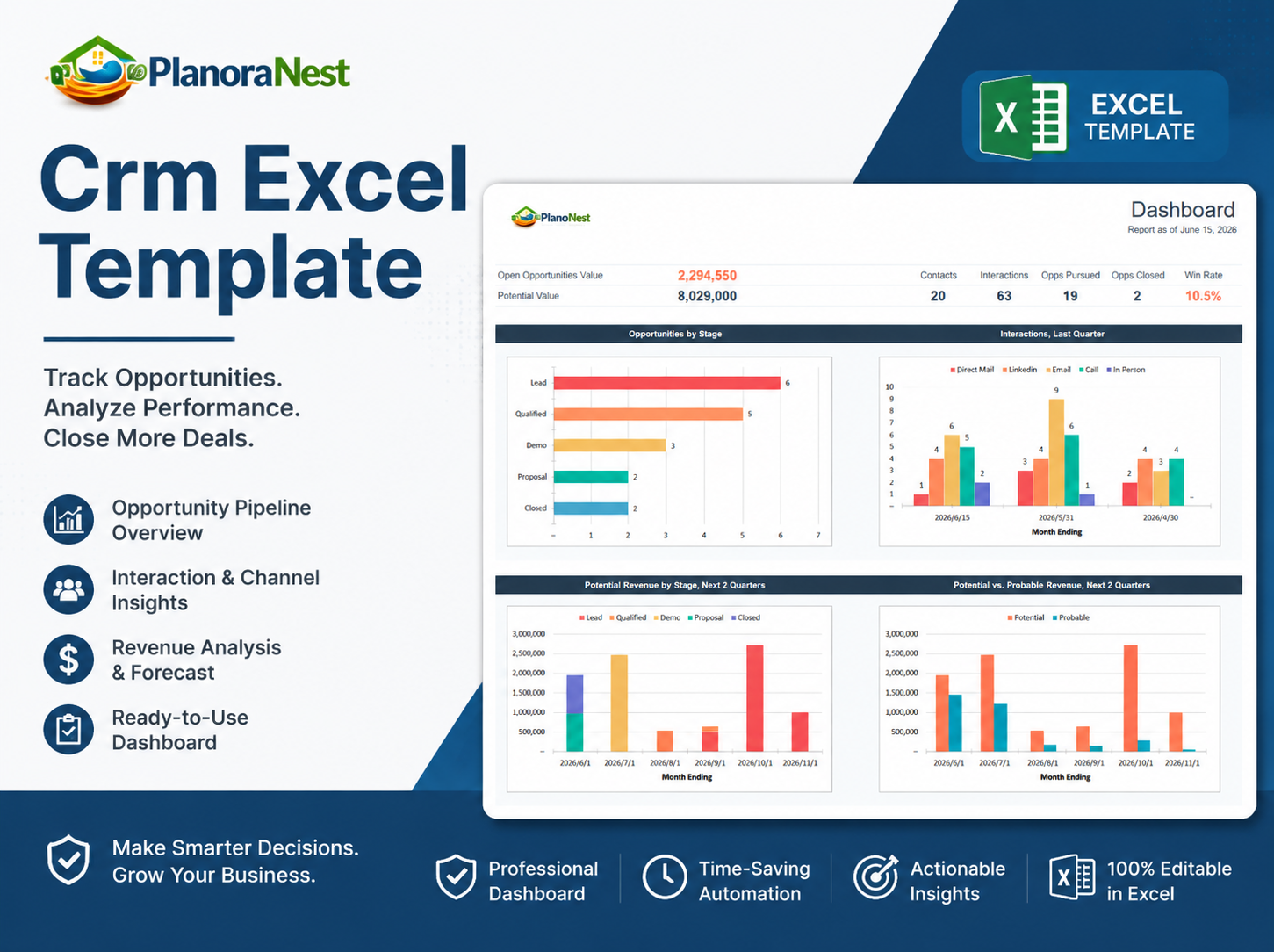
Live sales dashboard. Shows Report Date (formatted dynamically via TEXT/TODAY), Open Opportunities Value (SUMPRODUCT of Value x Probability for open deals), Potential Value (SUMIFS of all open deal values), Contacts, Interactions, Opps Pursued, Opps Closed, and Win Rate (Closed / Pursued). Includes pipeline charts by stage and revenue projections by quarter.
Configuration hub. Customize every dropdown list in the template: Priority, Type, Acct. Manager, Stage, Loss Reason, Source, Interaction, Status, and State. Change these values to match your sales process and every sheet updates. The Calculations sheet references Stage values from here for COUNTIFS formulas.
| Sheet | What it does |
|---|---|
| Start Here | Setup walkthrough with sheet-by-sheet instructions |
| Organizations | Company directory with contact details, auto-generates Org ID |
| Contacts | People database with auto-fill address via INDEX/MATCH from Organizations |
| Opportunities | Deal pipeline with auto-fill Priority/Deal Owner, Weighted Value = Value x Probability |
| Interactions | Activity log for calls, emails, meetings, LinkedIn per contact and opportunity |
| Calculations | Sales funnel COUNTIFS, interaction tracker, revenue pipeline — powers the Dashboard |
| Dashboard | Live KPIs: open value (SUMPRODUCT), potential value (SUMIFS), win rate, pipeline charts |
| Dropdowns | Customize all dropdown values — stages, sources, statuses, account managers, states |
See how each sheet looks before you download — screenshots from the actual template.
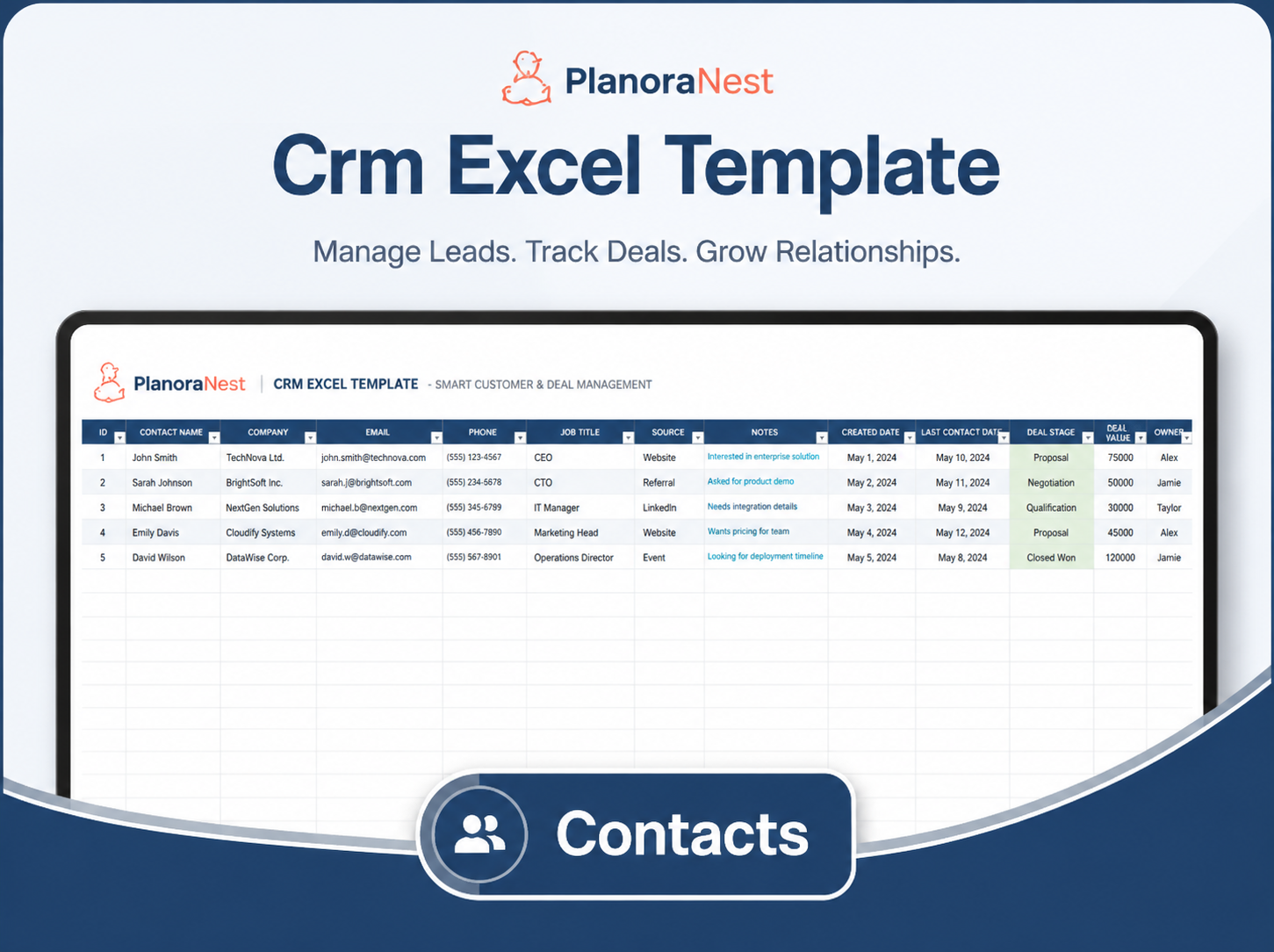
Preview of Crm Excel Template | Crm Excel Template Download
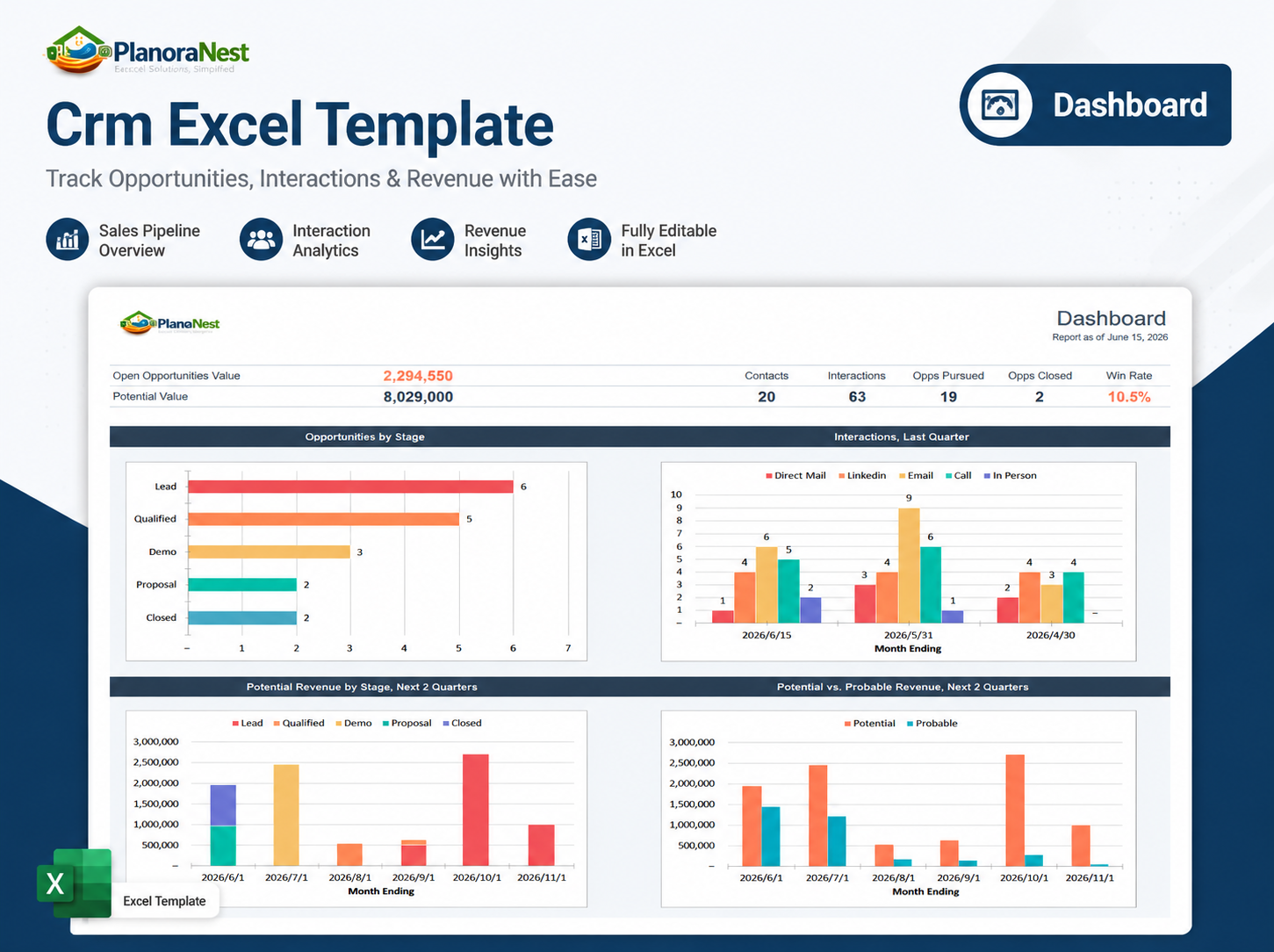
Preview of Crm Excel Template | Crm Excel Template Download
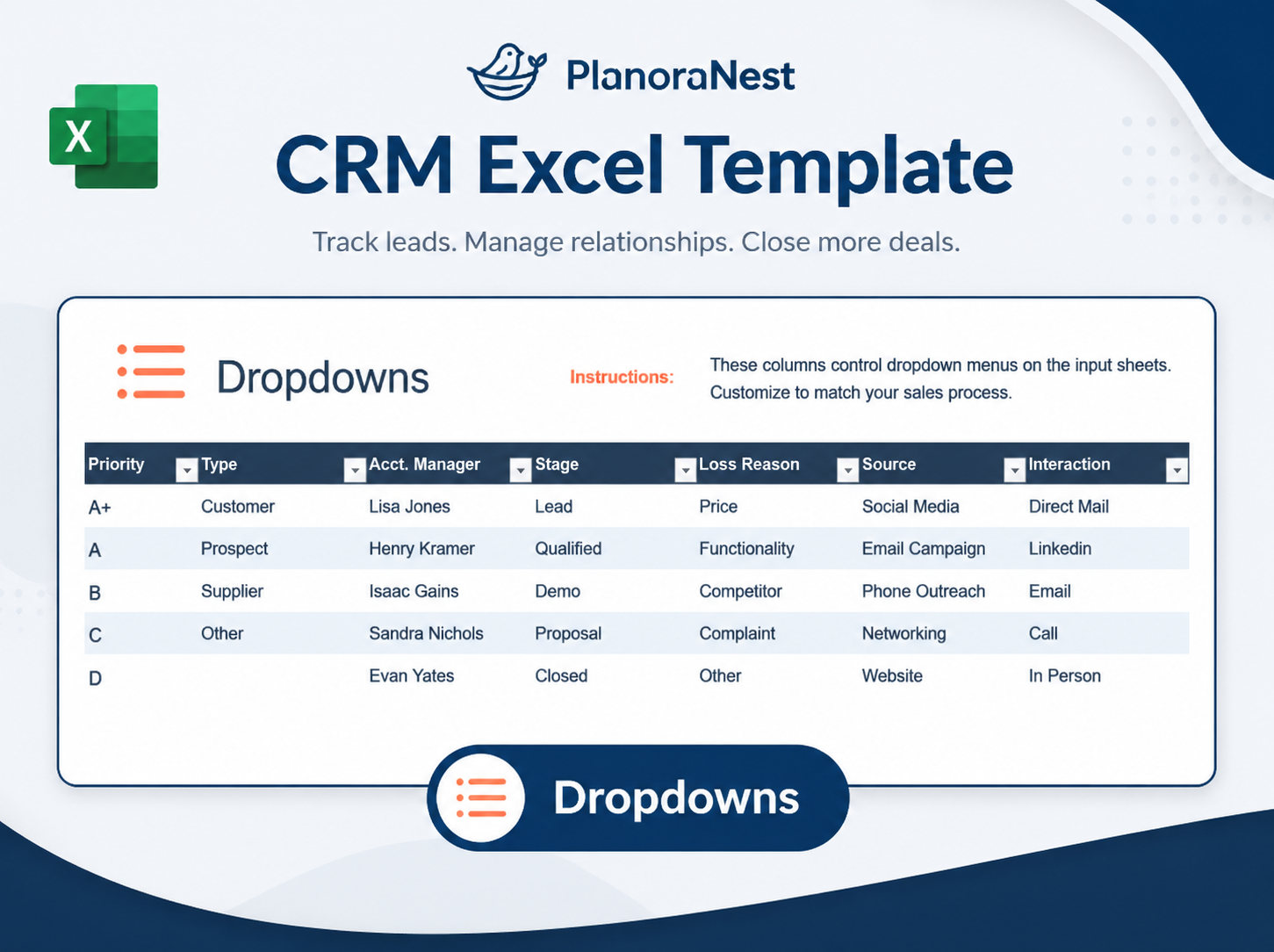
Preview of Crm Excel Template | Crm Excel Template Download
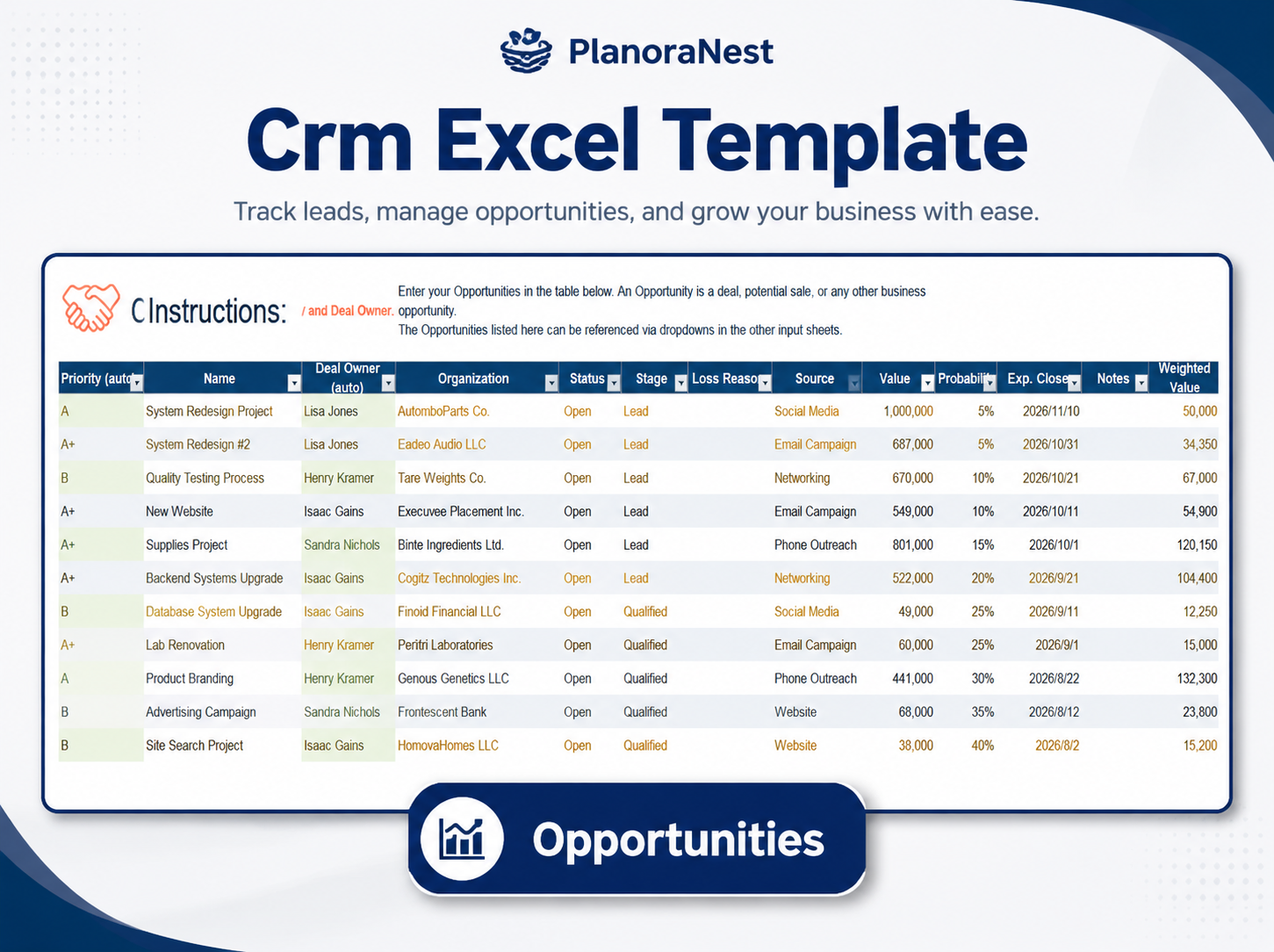
Preview of Crm Excel Template | Crm Excel Template Download
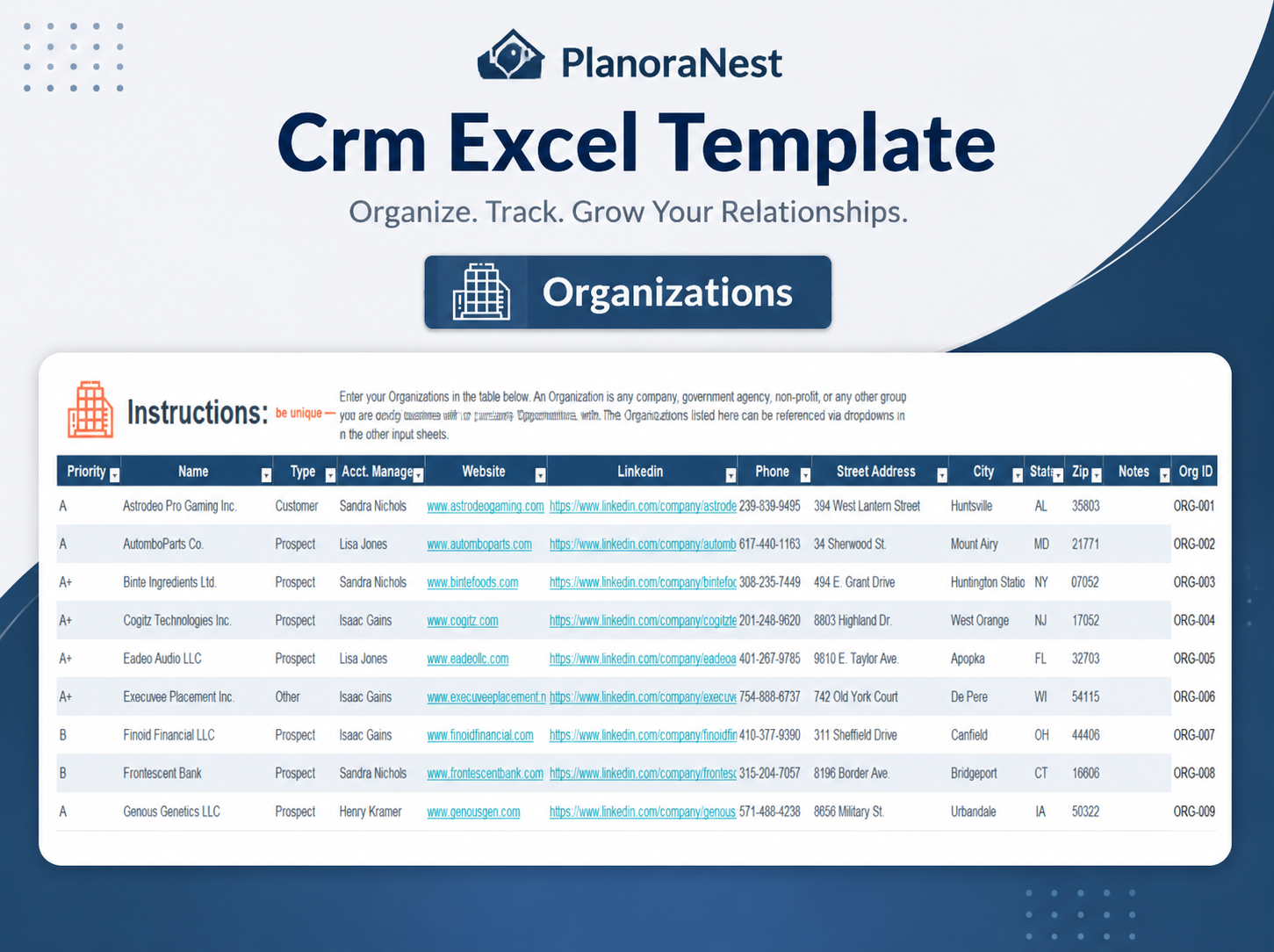
Preview of Crm Excel Template | Crm Excel Template Download
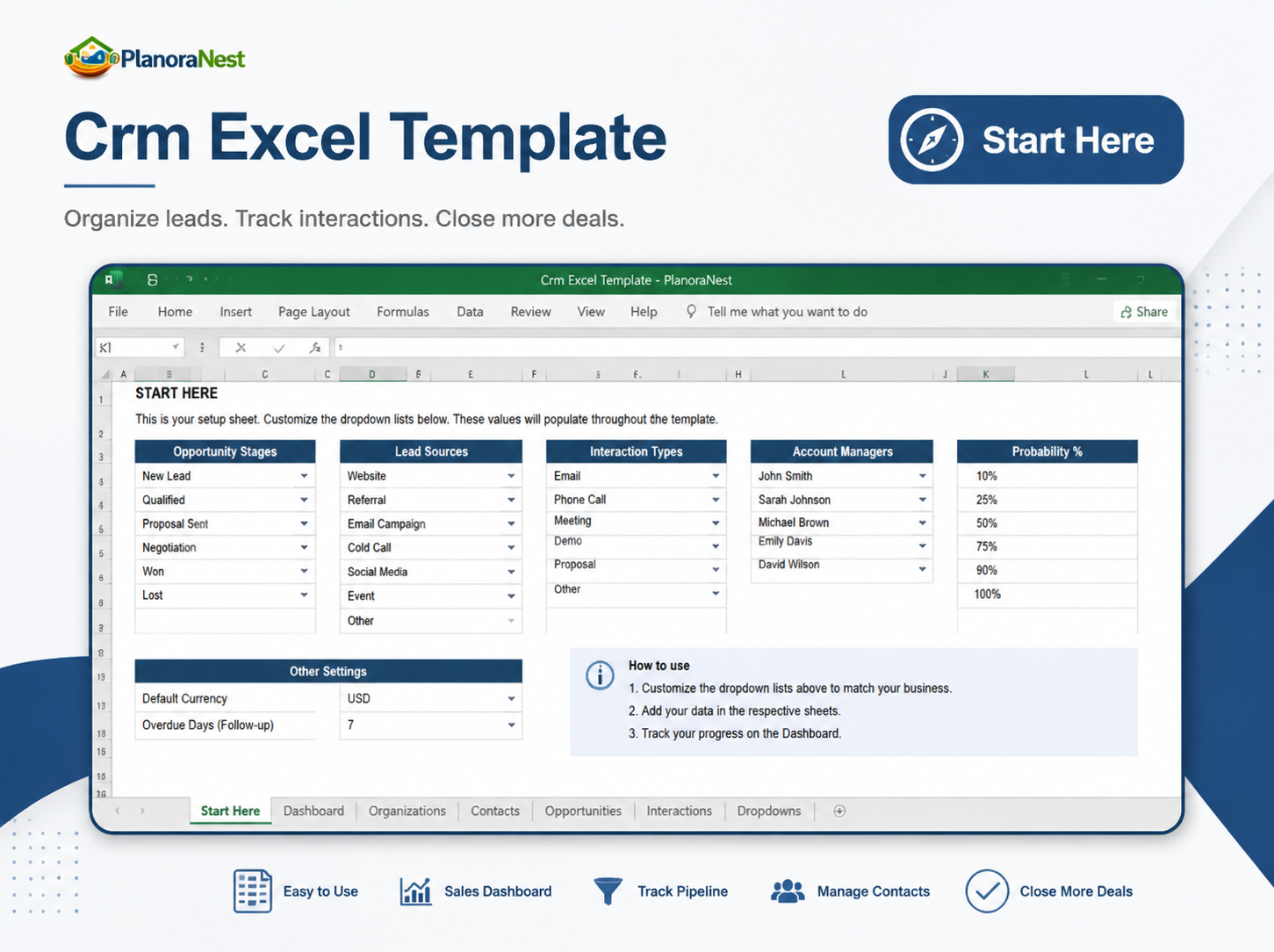
Preview of Crm Excel Template | Crm Excel Template Download
Get your CRM Excel template running in about 30 minutes:
One-time purchase — $1 USD (compare at $1) — Instant download — No account required to use the file after purchase.
1. Purchase
Browse our shop and pick the templates that fit your needs — from business planners to productivity trackers.
2. Access
Since our products are digital, you'll receive immediate access after your purchase completes.
3. Use
Open your template in Google Sheets, Excel, or Notion and start using it right away with our included instructions.
Sarah Chen
Small business owner
Verified purchaseReplaced our $50/month CRM subscription
We were paying for a SaaS CRM that only 2 of our 5 team members actually used. Switched to this template on Google Sheets and everyone is on board now. The auto-fill from Organizations to Contacts is slick — no more copy-pasting addresses. Dashboard gives me the pipeline snapshot I need in 5 seconds.
Marcus Webb
IT manager
Verified purchaseClean logic, well-structured sheets
I was skeptical of an Excel CRM but the formula architecture here is solid. The INDEX/MATCH auto-fill in Contacts and the SUMPRODUCT dashboard are correctly built. I migrated 300+ contacts and 40 opportunities from our old system in about 2 hours. The Dropdowns sheet makes it easy for non-technical users to customize stages without breaking formulas.
Jenna Alvarez
Operations coordinator
Verified purchaseGreat for getting organized quickly
Our team needed something immediately while we evaluate long-term CRM options, and this delivered. Set up the dropdowns, entered 50 organizations and 80 contacts on day one. The Weighted Value calculation on Opportunities is helpful for prioritizing deals. Only thing I added was a conditional formatting rule to highlight past-due follow-ups.