 Quick view
Vendor: PlanoNest
Work Breakdown Structure Spreadsheet Excel Template$1.00
4.7 / 5.0 (3) total reviews
Vendor: PlanoNest
$1.00
Excel
Quick sign in at checkout — your templates are saved to your library forever.
Related picks
Explore other digital products that pair well with this template.
Quick viewVendor: PlanoNest
Work Breakdown Structure Spreadsheet Excel Template$1.00
 Quick view
 Quick view
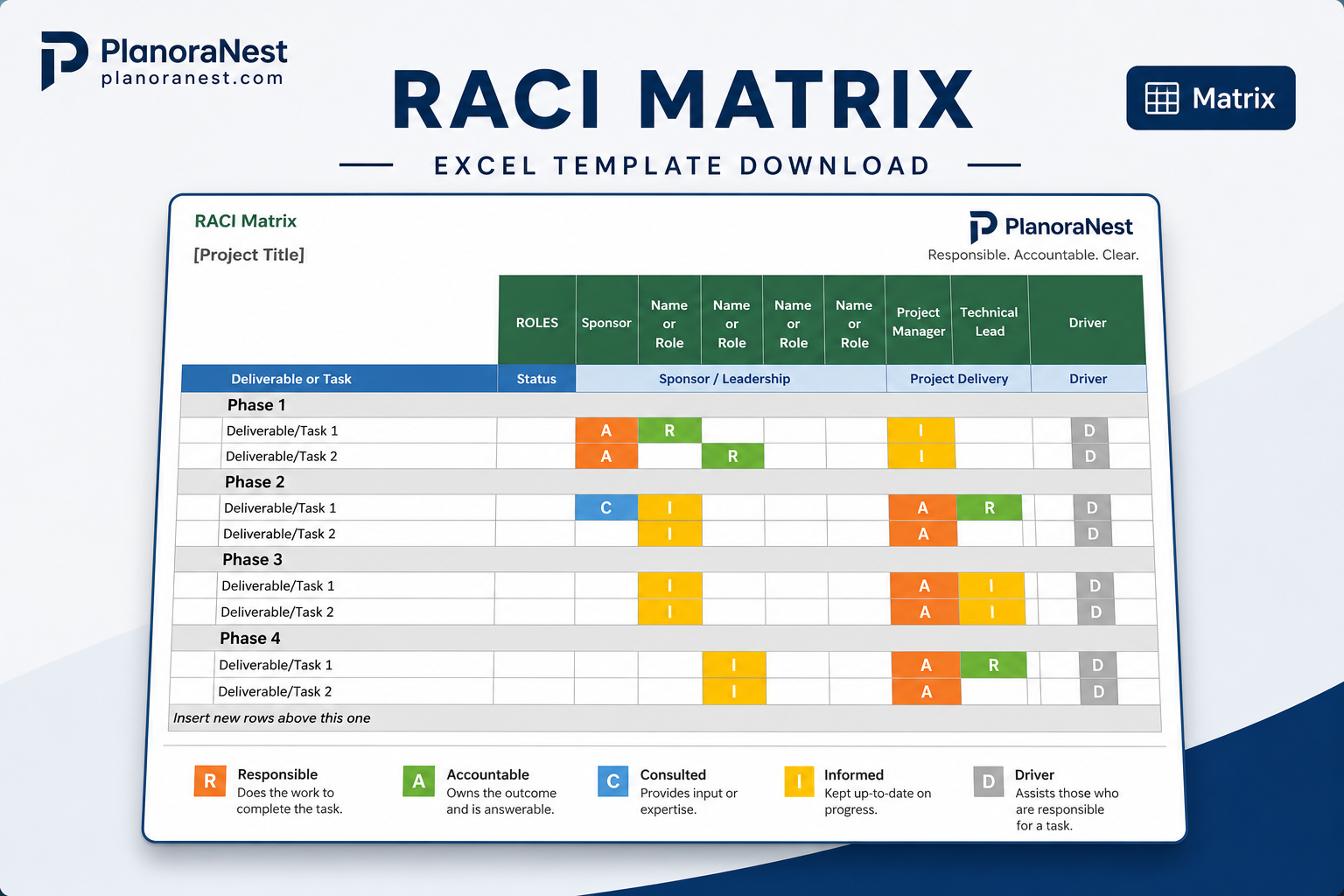
This RACI Matrix Excel template from PlanoraNest helps you define and communicate roles clearly across any project. Map every task and deliverable to Responsible, Accountable, Consulted, and Informed roles in a 26-column matrix — eliminate the "I thought you were handling that" confusion that derails projects.
Essential for project kickoffs, team alignment workshops, and any cross-functional initiative where role clarity makes the difference between smooth execution and finger-pointing. One-time purchase at $1, instant download, no subscription.
Project managers running cross-functional projects where multiple departments contribute.
Team leads clarifying who does what after a reorg or team expansion.
Consultants facilitating project kickoffs and needing a structured role-definition tool.
Anyone who has experienced the pain of duplicated work or dropped handoffs due to unclear ownership.
Every sheet in this RACI Matrix template is built for real-world role mapping:
Sheet | What it does |
|---|---|
Start Here | Quick-start guide explaining the RACI framework (Responsible, Accountable, Consulted, Informed), how to fill in the matrix, and tips for running a RACI workshop with your team. Read this before your first session. |
Matrix | The core RACI grid with 26 columns and 28 rows. The header row spans individual roles/team members (up to 26 people or roles). Task rows cover deliverables, decisions, and activities down the left side — enter your Project Title at the top. Each cell accepts R, A, C, or I (Responsible, Accountable, Consulted, Informed). Built-in conditional formatting color-codes each letter differently (R = blue, A = green, C = yellow, I = gray) so the distribution of responsibilities is visible at a glance. The template includes a summary area for project metadata. |
About | Template credits, version info, and terms of use. |
See how each sheet looks before you download — screenshots from the actual template.
Preview of RACI Matrix Excel Template
Preview of RACI Matrix Excel Template
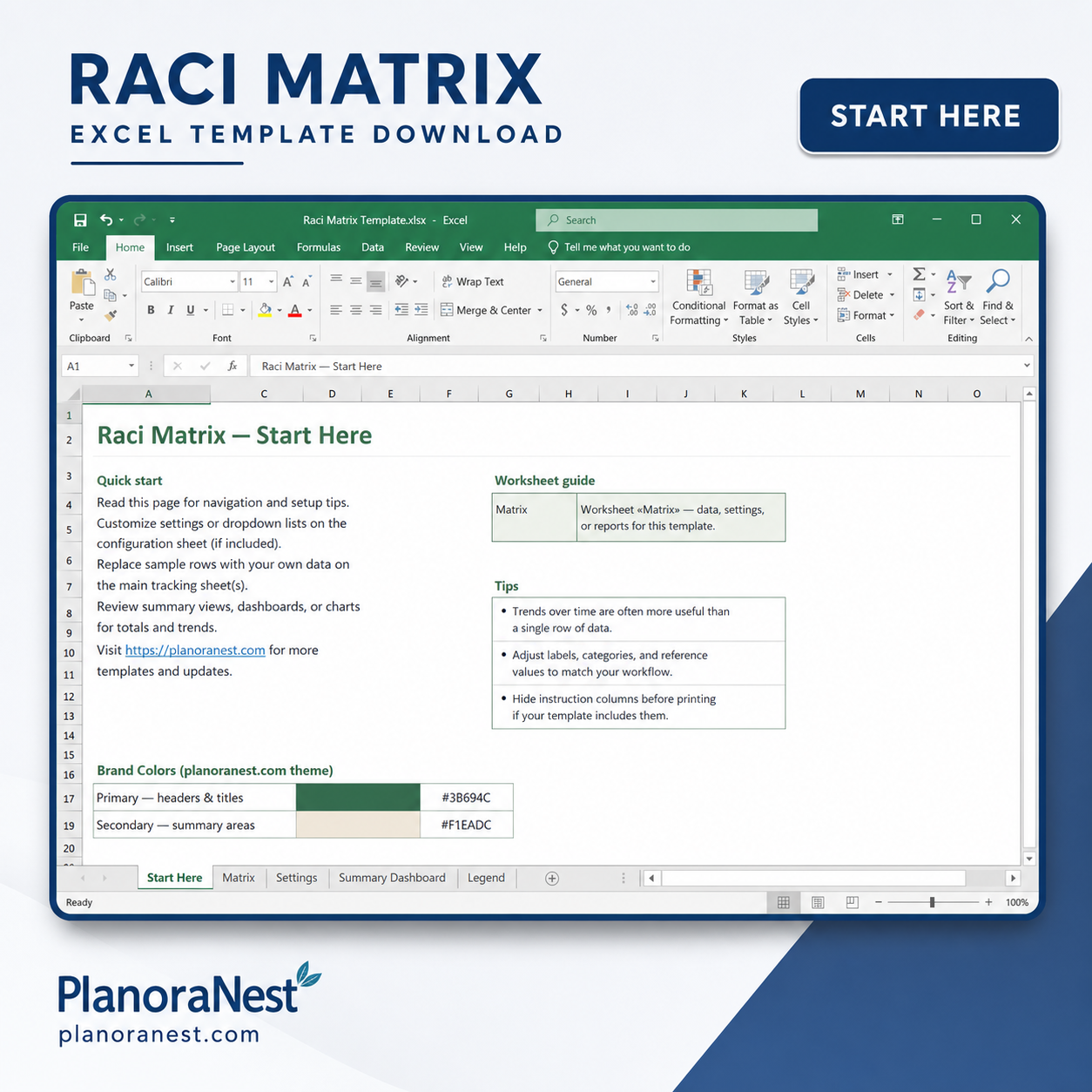
Preview of RACI Matrix Excel Template
Open the Start Here sheet and review the RACI framework explanation — understand what each letter means before you start filling cells.
Go to the Matrix sheet. Replace [Project Title] with your actual project name at the top.
Across the header row, list all team members, roles, or departments involved in the project — up to 26 columns. Use role names (e.g., "Dev Lead", "Product Owner", "QA") rather than personal names if the matrix will outlast team changes.
Down the left column, list every task, deliverable, decision, or milestone. Be specific — "Approve design mockups" is better than "Design."
For each task, enter R, A, C, or I in the intersecting cells. Each task must have exactly one Accountable (A) person. Multiple people can be Responsible (R), Consulted (C), or Informed (I). The conditional formatting auto-colors each letter so patterns jump out immediately.
Review the completed matrix with your team in a RACI workshop — it surfaces gaps (tasks with no A), overloads (one person is A on everything), and unnecessary consulting loops (too many C's).
Microsoft Excel (desktop & web)
Google Sheets
WPS Office
LibreOffice Calc
One-time purchase · $1 USD · Instant download · No account required to use the file after purchase.
1. Purchase
Browse our shop and pick the templates that fit your needs — from business planners to productivity trackers.
2. Access
Since our products are digital, you'll receive immediate access after your purchase completes.
3. Use
Open your template in Google Sheets, Excel, or Notion and start using it right away with our included instructions.
Marcus Webb
Technical Project Manager
Verified purchaseRACI beats a task list for clarity
I used to manage software releases with just a task list and found the same things getting missed every cycle — stakeholder review, security sign-off, deployment approval. Building a RACI matrix on this template forced me to list every decision point and name the Accountable person. The "exactly one A per task" rule is the killer feature — it eliminates ambiguity. Now my release checklist is a RACI matrix first, task list second. The Start Here sheet's framework explanation was genuinely useful for explaining RACI to my devs.
Priya Nair
Organizational Change Manager
Verified purchaseEssential for post-reorg clarity
After a department restructure, nobody knew who owned what anymore. I bought this template and ran RACI sessions with each of our 6 teams. The Matrix sheet's 28-task capacity was enough for each team's core processes, and the 26 role columns let us map everyone from individual contributors to VP-level sign-offs. Three months later, the RACI matrices are still posted in every team's shared drive as the reference for "who does what." Best $3.90 I have spent on change management.
Chris Mueller
Program Director
Verified purchaseSolved our cross-team ownership chaos
We run a 40-person program across 5 workstreams and handoffs were a disaster — tasks kept falling between teams because nobody knew who was Accountable. I ran a 90-minute RACI workshop with the Matrix sheet projected on screen, and we filled it in live. The color-coded RACI letters (blue R, green A, yellow C, gray I) made overload immediately obvious — one team lead was A on 14 of 20 tasks. We redistributed and re-ran the workshop two weeks later with near-zero confusion.